Paste in place
Click an item and Ledge pastes it into the app you were just using. The panel never steals focus.
Ledge keeps clipboard history, dragged-in files, and screenshots on one floating panel. Search it, drag it back out, paste anywhere.
 Ledge
iCloud
Ledge
iCloud
The real thing, not a mockup: files dragged from Finder land on the drop tray, wait on the Shelf, and drop straight into Mail.
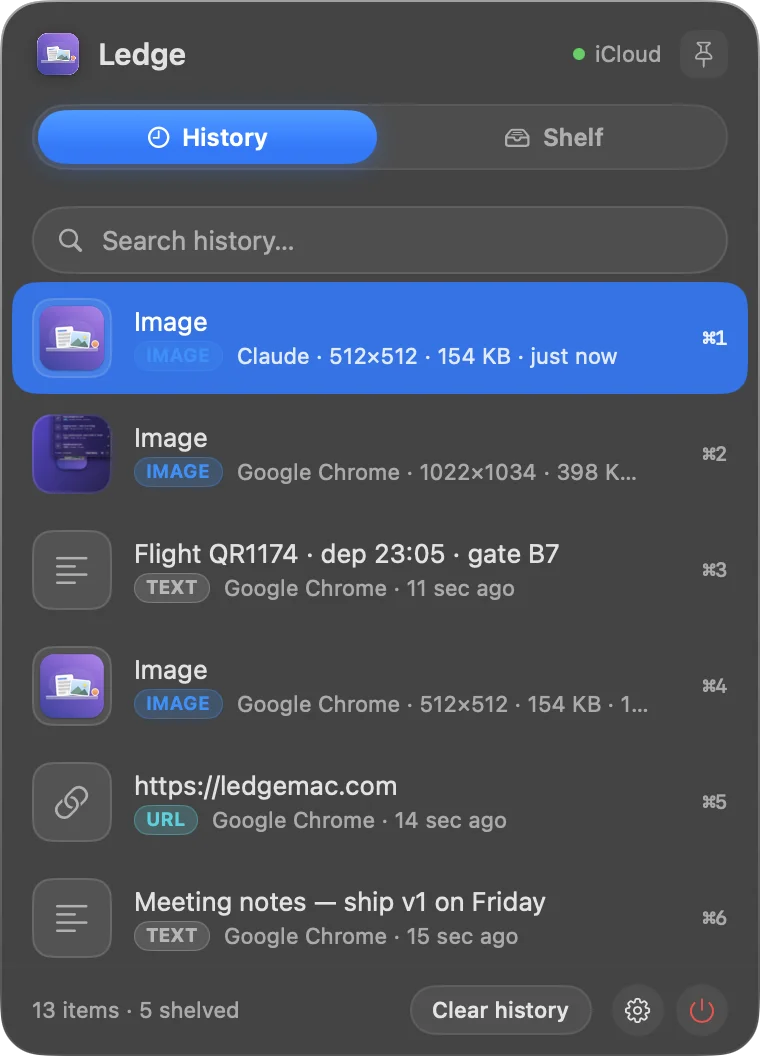
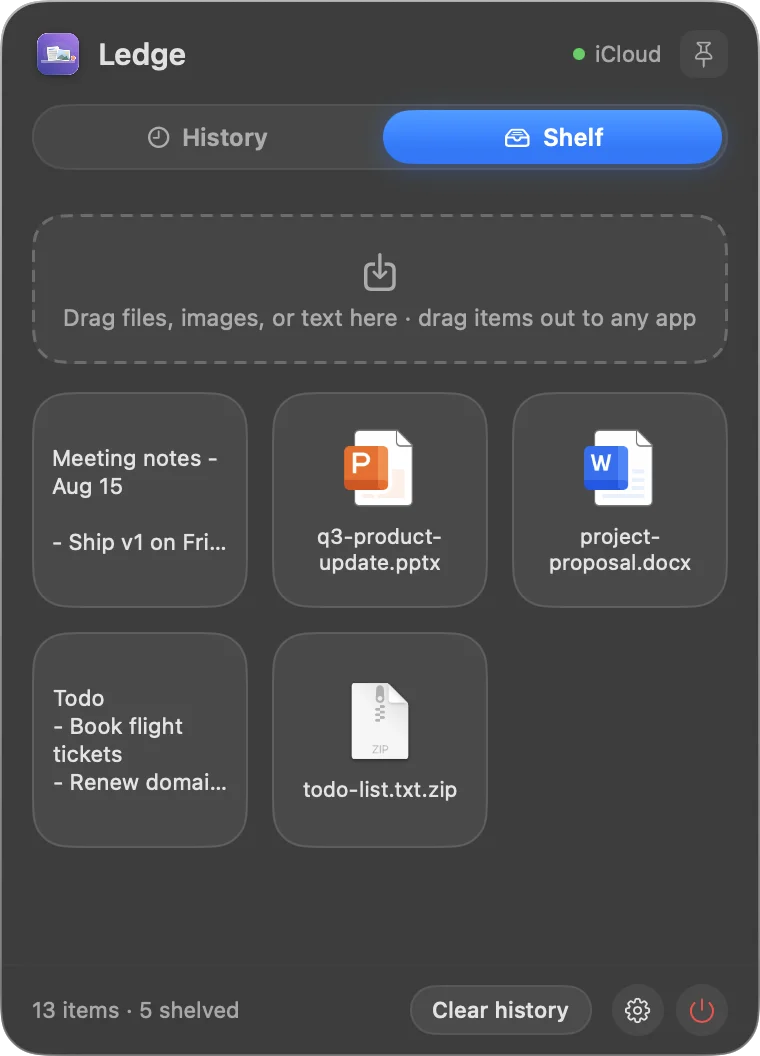
Every copy lands in history the moment you make it: text, images, links, and screenshots. Days later, type a few letters and it is back.
The Shelf holds things you are not done with yet: images pulled off a webpage, files from Finder, snippets of text from anywhere.
Start dragging any file and a small drop tray slides in at the edge of the screen, so there is always somewhere to put things down mid-drag.
Shots saved to the Desktop and shots copied to the clipboard both land in history automatically. No more hunting the Desktop for the one you just took.
Click an item and Ledge pastes it into the app you were just using. The panel never steals focus.
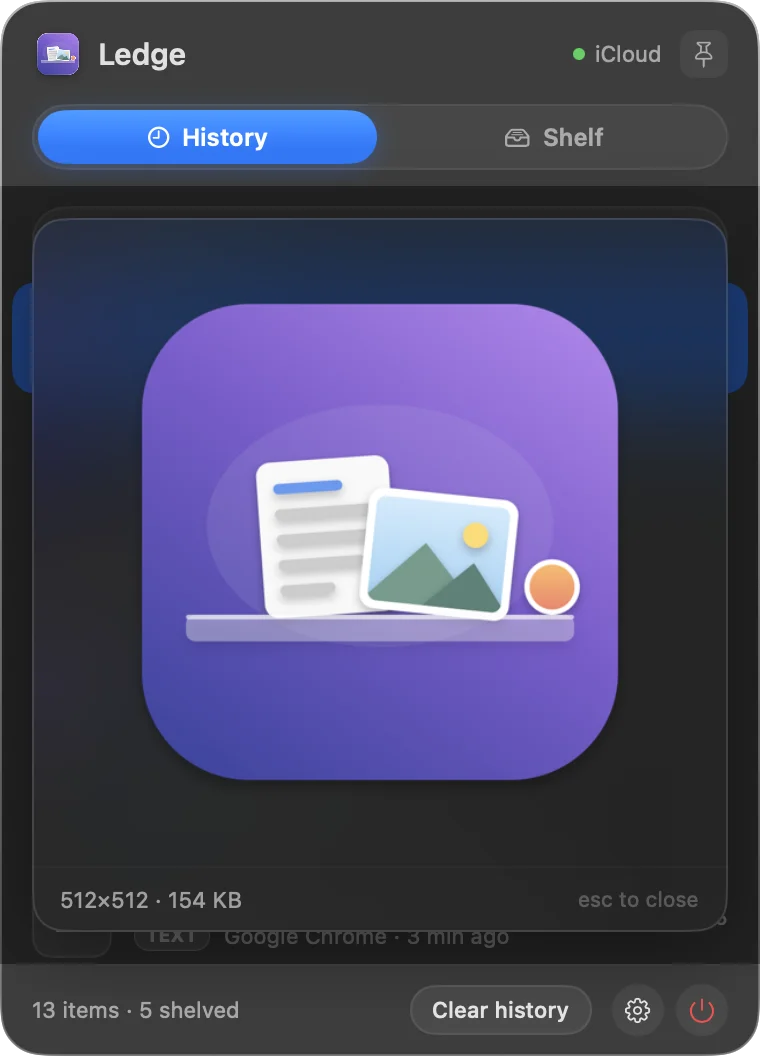
Press Space on any item for a full-size preview, exactly like in Finder.
One panel, different jobs. A few of the ways Ledge earns its place in the menu bar.
Copy an error message today, search half of it next Tuesday. Park log files and config snippets on the Shelf while you juggle terminals and editors.
Pull reference images off webpages onto the Shelf, then drop them into Figma or Sketch when the moodboard is ready. Copied colors show up as swatches.
Quotes, links, boilerplate replies, that invoice number from last week — type three letters and it is back, ready to paste.
Passport numbers, addresses, booking codes: copy them once from your notes and paste them into every form field without switching apps.
A clipboard manager sees sensitive things. Ledge is built so that it keeps as little as possible, as locally as possible.
Card & PayPal via Lemon Squeezy · Vietnam bank transfer (VietQR) also available.
Great apps live in this space — some are free, some do one half of the job beautifully. Ledge is for people who want the clipboard and the shelf in one panel, paid for once.
| Ledge | Maccy | Paste | Yoink | PastePal | |
|---|---|---|---|---|---|
| Price | $8.99 once | Free (open source) | $2.49 / mo, billed yearly | $8.99 once | $14.99 once |
| Clipboard history + search | ✓ | ✓ | ✓ | — | ✓ |
| Drag-anything shelf | ✓ | — | — | ✓ | — |
| Drop tray appears mid-drag | ✓ | — | — | ✓ | — |
| Screenshots captured automatically | ✓ | — | — | — | — |
| Pastes into the previous app | ✓ | ✓ | ✓ | — | ✓ |
| iPhone / iPad app | — | — | ✓ | ✓ | ✓ |
| Works without an account | ✓ | ✓ | ✓ | ✓ | ✓ |
Prices and features checked August 2026 from each product's official page or Mac App Store listing. If something here is out of date, tell us and we'll fix it.
Want the long version? Ledge vs Paste · Ledge vs Maccy · How to see clipboard history on a Mac
Capturing pauses until you enter a license key. Everything you already saved stays fully browsable and draggable. Your data is never held hostage.
Any Mac running macOS 14 Sonoma or later.
No. Checkout emails you a license key — paste it in Settings once (that step needs internet) and Ledge works offline from then on. We don't create an account for you.
A license is active on one Mac at a time. Switching Macs is self-service and free: press Deactivate in Settings on the old Mac, or release it from ledgemac.com/transfer with an email confirmation — then activate on the new one.
No. Ledge stores everything locally. If you enable iCloud sync, items travel through your own private iCloud database, which we cannot read.
That combo genuinely works, and if you only ever copy text, Maccy alone may be all you need — our own comparison says so. Ledge exists for the seam between the two apps: what you copy and what you drag live in one panel instead of two, and screenshots land in history automatically — Maccy only sees what you copy, Dropover only holds what you drag in, so the shot you just took reaches neither. Add full-size Quick Look previews, and it's one app to trial, license, and keep updated. $8.99 once covers the whole job.
Choose bank transfer at checkout and you get a VietQR code — scan it with any Vietnamese banking app. Your license key is emailed automatically once the transfer arrives, usually within a minute or two.
Card and PayPal orders are processed by Lemon Squeezy, our merchant of record — they email a receipt automatically, and you can request a VAT invoice from the receipt page. For bank-transfer orders, write to support and we'll sort out the paperwork.
Try Ledge free for 7 days first — that's what the trial is for. If you bought it and something is wrong, write to support@ledgemac.com and we'll handle it case by case; card and PayPal refunds go back through Lemon Squeezy.
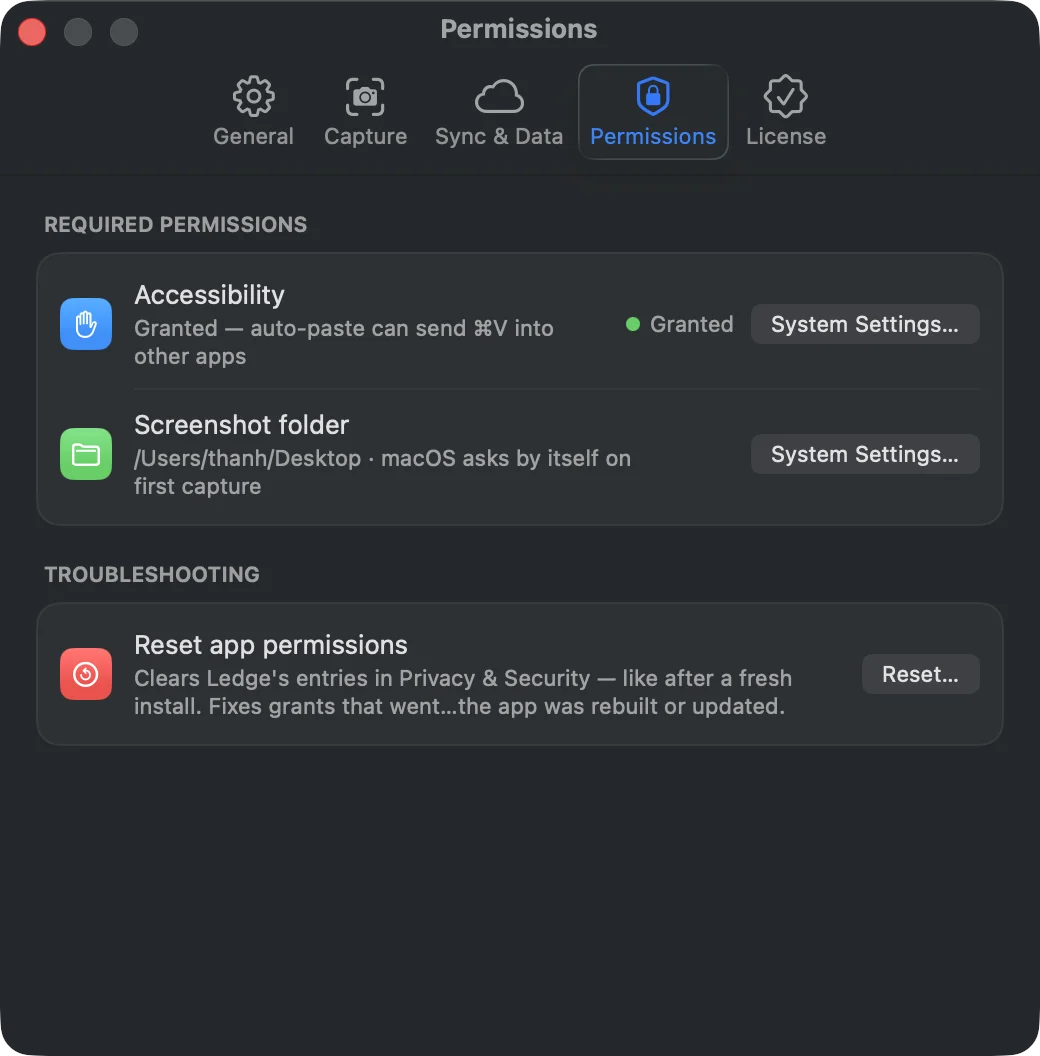
Two, both optional: Accessibility (so auto-paste can type ⌘V for you) and access to your screenshot folder. No screen recording, no analytics. See the Permissions section above for the details.
Write to support@ledgemac.com and a human will get back to you.
Ask an assistant to read the site and give you its own read — including how it stacks up against the apps you already know.